Manual Guide: System Sandbox
The System Sandbox module is an administrator-restricted code execution interface, allowing developers and administrators to run, test, and debug live Python scripts directly within the server environment.
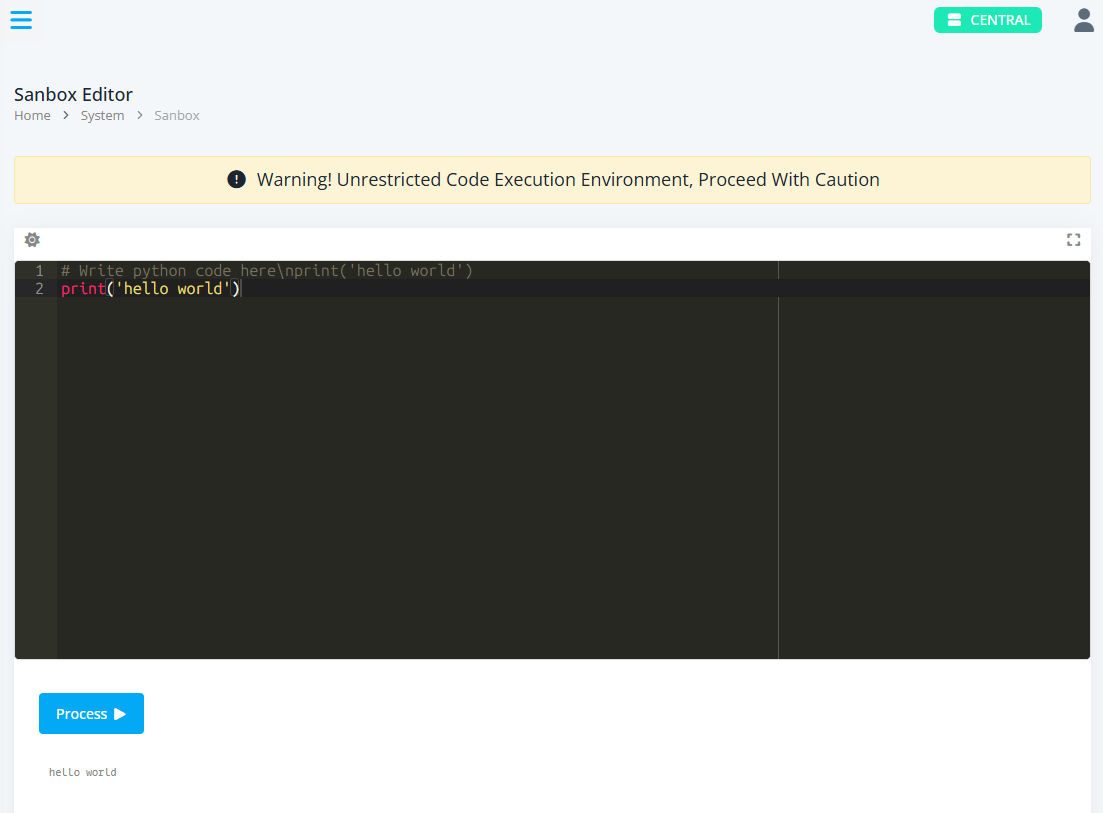
1. Interface & Architecture Overview
The Sandbox page is designed as an interactive development console:
-
Code Editor: A fully featured syntax-highlighted editor supporting Python mode, theme toggling (Dark Monokai / Light Chrome), and a immersive Fullscreen mode.
-
Control Actions: Execution controls featuring a Process button with dynamic loading indicators, theme switchers, and full-screen toggles.
-
Console Output Terminal: A scrollable terminal block that displays real-time execution logs, outputs, and status updates polled from the server backend.
2. Key Features & Components
Code Execution & Safety Controls
-
Async Polling Mechanism: Submits scripts via AJAX to
/system/runand polls active process IDs (PID) asynchronously to stream outputs without blocking the UI thread. -
Process Termination: Allows administrators to abort running jobs via the
/system/stopendpoint using active session PIDs.